
crushing machine solidworks
Crushing Machine Design in SolidWorks: An Overview
This article explores the application of SolidWorks, a leading 3D Computer-Aided Design (CAD) software, in the design and development of industrial crushing machines. It details the core design workflow, from initial concept to simulation and manufacturing preparation. The discussion includes a comparative analysis of design approaches, presents a real-world implementation case study, and addresses common technical questions faced by engineers in this field.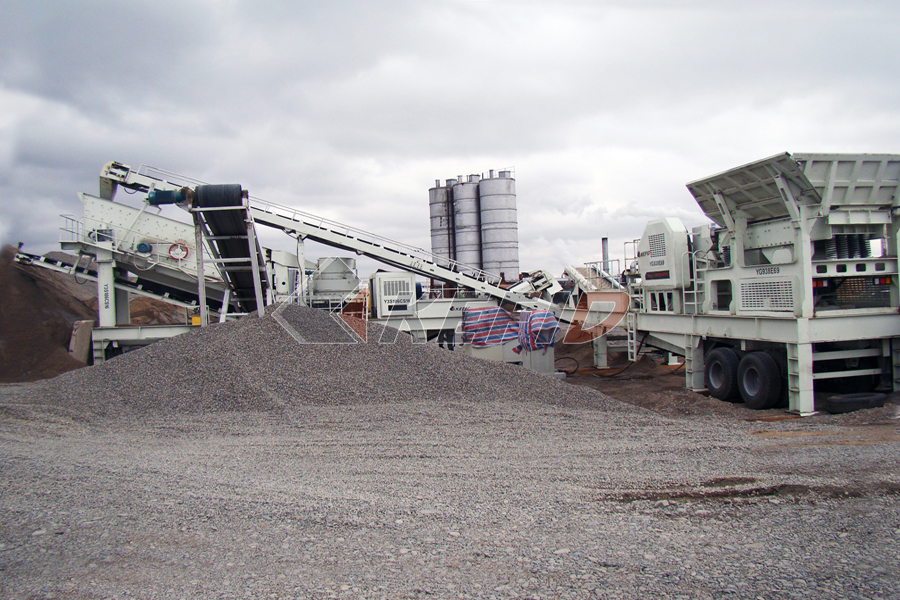
Design Workflow and Key Considerations
The design process for a crushing machine in SolidWorks follows a structured engineering approach:
- Conceptual Layout & Sketches: Initial ideas are translated into 2D sketches within SolidWorks, defining the core mechanism (e.g., jaw crusher, cone crusher, impactor), kinematics, and overall dimensions.
- 3D Modeling & Assembly: Detailed parts (frame, flywheel, jaws/mantles, shafts, bearings) are modeled using solid and sheet metal features. These components are then assembled with appropriate mates (constraints) to create a fully defined digital prototype.
- Mechanism Analysis & Simulation: SolidWorks Motion is used to analyze the kinematic movement of crushing linkages, ensuring proper motion range and detecting interferences. For critical components like the toggle plate or eccentric shaft, Finite Element Analysis (FEA) using SolidWorks Simulation is employed to evaluate stress distribution under load, optimize material usage, and predict fatigue life.
- Detailing & Manufacturing Drawings: From the 3D model, associative and annotated 2D drawings are generated automatically for every part and assembly. These drawings include tolerances, surface finishes, and welding symbols essential for workshop fabrication.
- Bill of Materials (BOM): An integrated BOM lists all components with quantities, materials, and part numbers, streamlining procurement and production planning.
A critical design choice involves selecting the foundational modeling strategy. The table below contrasts two primary methodologies:
| Feature | Top-Down Design | Bottom-Up Design |
|---|---|---|
| Approach | Starts with a layout sketch or master model at the assembly level. Individual parts are designed in-context within the assembly. | Individual parts are modeled independently and later inserted into an assembly file where they are mated together. |
| Advantages | Ensures perfect fit and automatic update propagation when the master layout changes; ideal for complex mechanisms with interdependent parts. | Simpler to manage; parts are independent; easier for team collaboration on distinct components; less risk of circular references. |
| Disadvantages | Can create complex parent-child dependencies; model rebuild errors can cascade; requires careful planning. | Making global dimensional changes is more time-consuming as each related part must be updated manually. |
| Best For | New machine development where major dimensions are likely to evolve during design iteration (e.g., optimizing crushing chamber geometry). | Modifying existing designs or working with standard catalog components (bearings, motors). |
Real-World Application Case Study: Redesign of a Jaw Crusher Toggle Plate
A manufacturer of mid-sized jaw crushers faced recurring failures of the toggle plate—a critical safety component designed to break in case of uncrushable material ingress—in their field units. While it functioned as a safety device, failures were occurring under normal operating loads due to unanticipated stress concentrations.
- Problem: Premature fracture of toggle plates led to unplanned downtime.
- SolidWorks Solution:
- The existing toggle plate was scanned and reverse-engineered into a precise SolidWorks 3D model.
- Operational forces calculated from motor power and kinematics were applied as boundary conditions in SolidWorks Simulation. A static FEA study revealed high-stress hotspots at sharp internal corners that were not visible in traditional 2D calculations.
- The geometry was iteratively optimized within Solidworks: sharp corners were replaced with generous fillets based on FEA feedback.
- A new prototype was manufactured directly from the optimized SolidWorks drawings using CNC laser cutting.
- Outcome: The redesigned toggle plate experienced no premature failures under normal operation while still performing its intended safety function during overload events. This increased machine reliability and reduced warranty claims.
Frequently Asked Questions (FAQ)
Q1: How accurate are stress simulations (FEA) in SolidWorks for heavy-duty components like crusher shafts?
While highly valuable for comparative analysis and identifying stress concentrations ("hotspots"), absolute accuracy depends heavily on correct input assumptions—realistic material properties (including non-linear data if available), accurate load estimations (impact forces can be difficult to model precisely), proper constraint application ("fixturing"), and mesh quality results should be validated against physical strain gauge tests on a prototype before full-scale production decisions..jpg)
Q2: Can SolidWorks handle large assemblies like a complete crushing plant?
Yes but it requires strategic management Techniques such as using lightweight modes simplified configurations SpeedPak configurations which represent an assembly as a subset only referencing selected faces/ bodies) sub-assemblies effective use of large assembly mode which suspends automatic rebuilds) are essential Performance also depends heavily on workstation hardware particularly RAM graphics card memory
Q3: What is the best way to model wear parts like crusher liners or jaws that require frequent redesign?
Utilize configuration-based modeling Create multiple configurations within one part file for different liner profiles thicknesses or tooth patterns This allows you to manage families of related liners efficiently When combined with top-down design changes in liner geometry can automatically update associated holding blocks or cavity models saving significant redesign time
Q4: How does integrating electrical control panels work within mechanical crusher designs?
Solidworks Electrical can be integrated with standard CAD It allows engineers to create schematic diagrams specify components generate wire lists/harness documentation import these into main mechanical assembly ensuring control cabinet layouts connectors cable routing through frames avoid clashes enabling true mechatronic integration
Q5: Is it possible to calculate power requirements or throughput estimates directly from models?
Not directly through simple features however by using calculated masses from models known material densities applying motion studies estimate forces required crush given volume rock based on established empirical formulas engineers can build parametric models where changing feed size target product size automatically updates estimated required motor power parameters driving key dimensions